Incident reports parents acknowledge
A teacher files the report on her phone. The family gets an email they can't switch off, reads the report and acknowledges it with their name. You see who acknowledged it, and when.
On every plan.
How it works
File it while it's fresh
What happened, what you did about it, and when. Directors can file a report for any child, and teachers for the children in their own classroom. Each report is timestamped, and filing it is recorded in your audit log.
The family is told straight away
Every connected parent gets an email, whatever their notification settings, and a banner in their feed until they acknowledge the report.
The parent acknowledges it
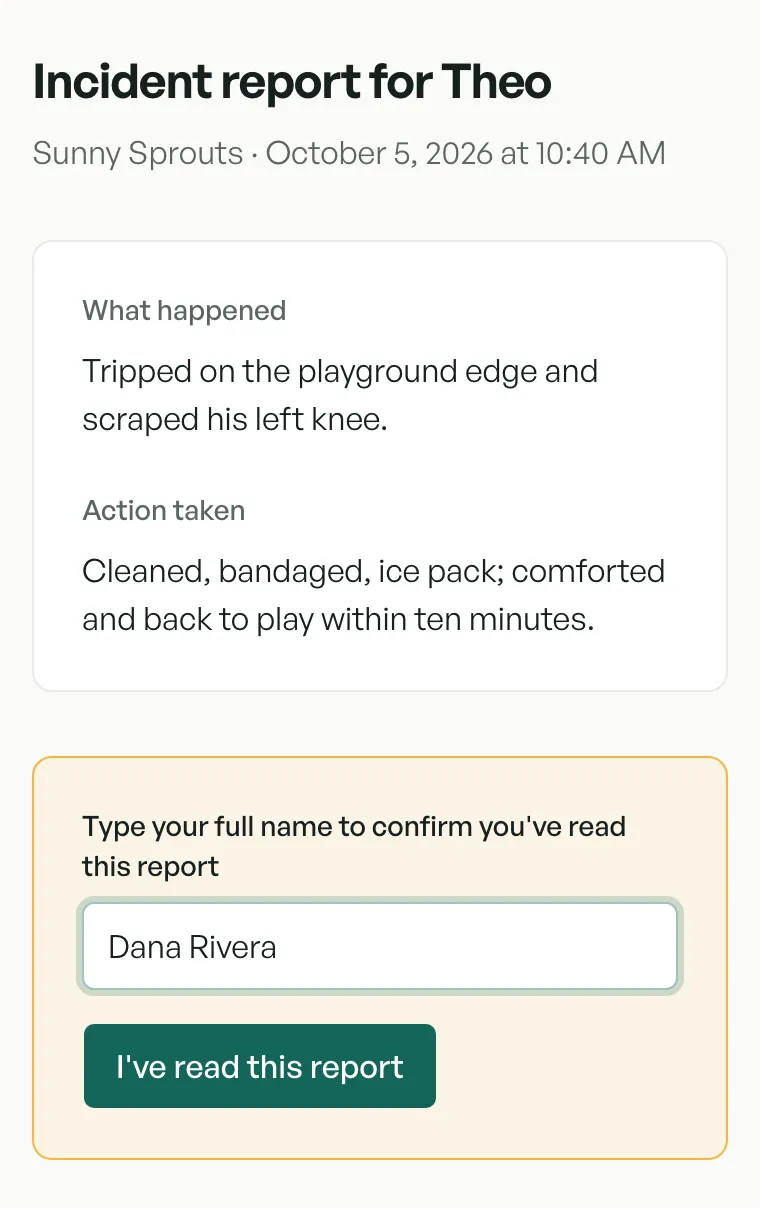
They read the report and type their full name to confirm they've read it. The date and time are saved with their name.
You see who and when
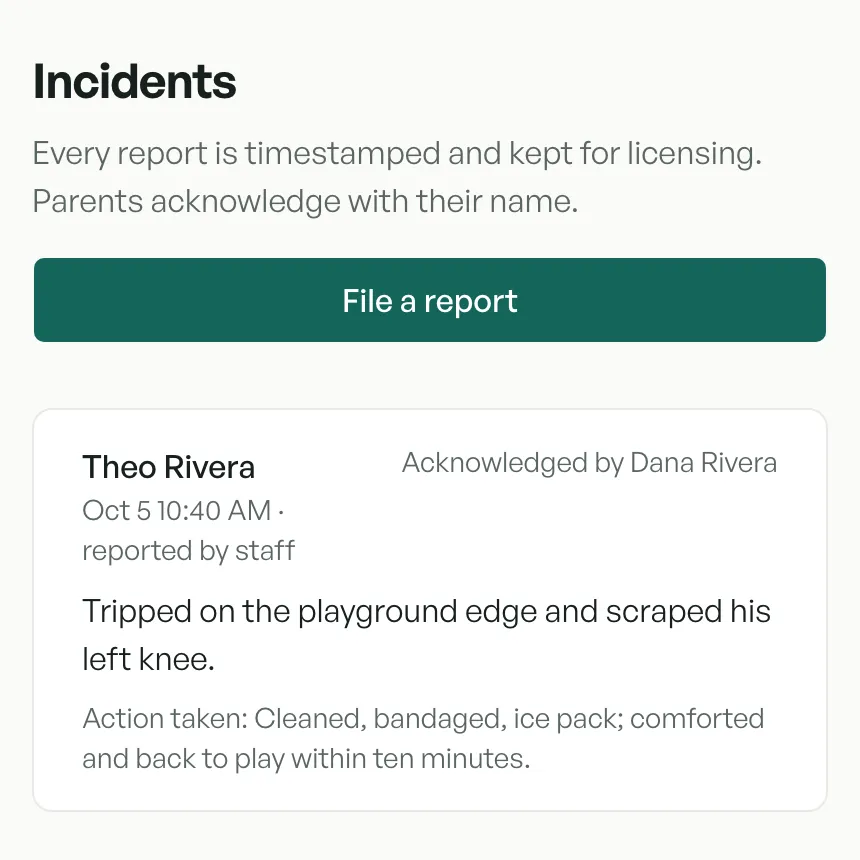
Your incident list shows Awaiting parent until someone acknowledges, then the name of the parent who did.
Kept with your other records
Incidents from the last 12 months, with who acknowledged each one and when, are in the inspection report pack (on the Center and Academy plans) and in the incidents CSV export (on every plan).
What it doesn't do
No text messages: the report reaches families by email and in their feed. And it isn't a medication log; CubbyFront doesn't have one yet.
Try it yourself
In the sandbox, open Incidents to see a report waiting for a parent, or file one of your own. The parent's side is the first picture above.
Questions
- How does a parent acknowledge a report?
- They open the email or the banner in their feed, read the report and type their full name. The date and time are saved with it.
- Can a parent switch off incident emails?
- No. An incident report is always emailed, whatever the family's notification settings.
- Who can file a report?
- Directors, for any child, and teachers, for the children in their own classroom.
More of what it does
Aids based on rules we've reviewed. Your state's rules govern.