Daily reports, from a teacher's phone to the parent's feed
Teachers log the day as it happens, on a phone, for one child or the whole room. At pickup one tap publishes it: the day appears in each family's feed, and each parent gets an email unless they've switched daily emails off.
On every plan.
How it works
Log it once for the whole room
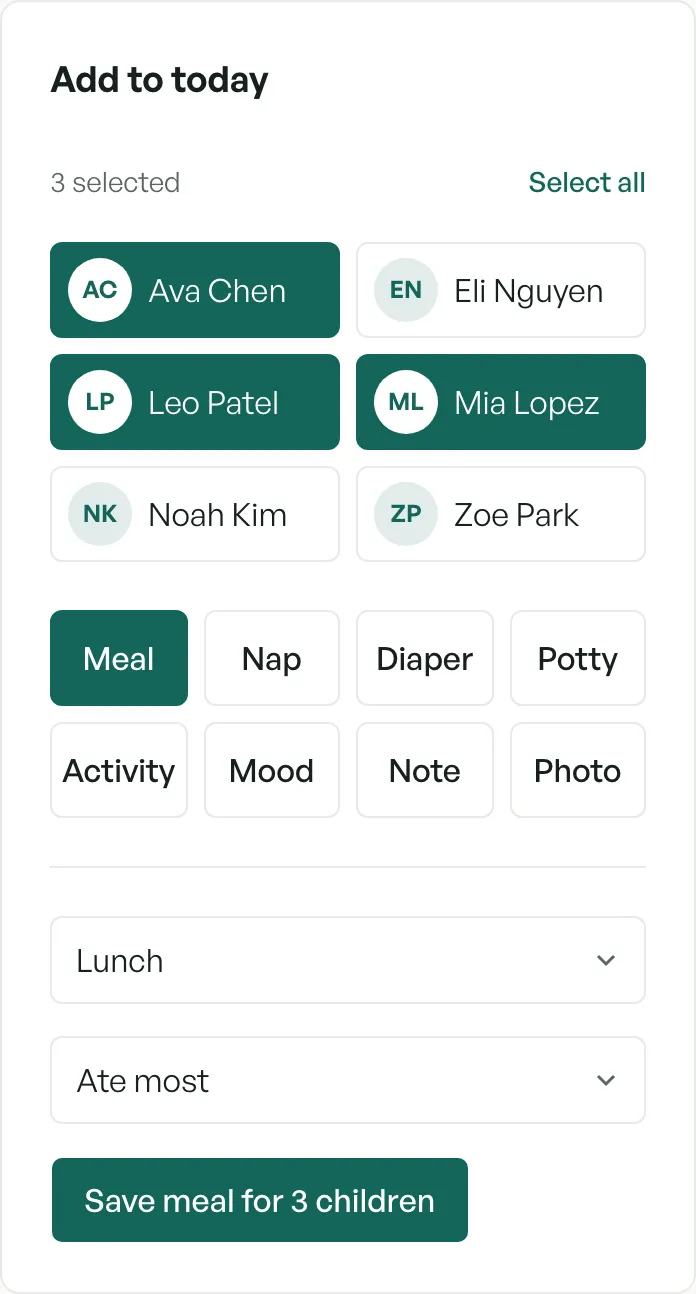
Pick the children, or Select all, then pick what happened: meal, nap, diaper, potty, activity, mood, note or photo. Lunch for the whole room is saved in one go, and each child's day fills in as you go.
Publish at pickup
Entries stay a draft until you publish, so nothing half-finished reaches a family. Publish all now sends every draft in the room: the day appears in each family's feed, and each connected parent gets an email saying it's ready, unless they've switched daily emails off.
What parents see
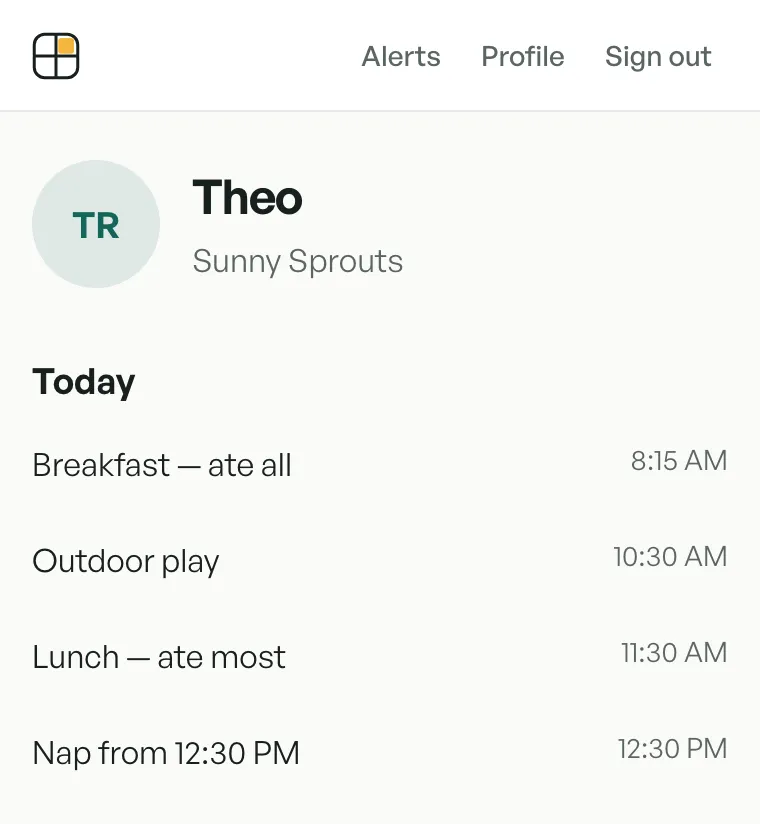
One child at a time, newest day first, every entry with its time. Parents use a free account in their phone's browser, and it installs like an app, with no app store. Photos are private: each one is shown through a link that expires.
Emails come from your center
Emails to parents come from "your center's name via CubbyFront", and a parent's reply goes to your center's email address, not to us.
Photos stay as long as your plan keeps them
Photo history is 90 days on Home, 2 years on Center and 5 years on Academy.
What it doesn't do
No text messages: parents see the day in their feed, with an email to say it's ready. And there's no app-store app; the parent app runs in the phone's browser.
Try it yourself
In the sandbox, open Reports to log and publish a day as a teacher would. The sandbox shows the teacher's side; the parent's feed is the second picture above.
Questions
- Do parents need to download an app?
- No. Parents use a free account in their phone's browser, and they can add it to the Home Screen like an app.
- Can a teacher log one thing for the whole room?
- Yes. Select all, pick the entry and save it once.
- When do parents see the report?
- When you publish it. Entries stay a draft until then, so you can publish at pickup.
- Can parents turn off the daily email?
- Yes. It's on unless a parent switches it off under Alerts in their account, and the day still appears in their feed. Incident reports are different: they're always emailed.
- Where do parents' replies go?
- To your center. Emails come from your center's name via CubbyFront, and replies go to your center's email address.